- Nerd Out on Notion
- Posts
- Introducing... Notion Custom Agents
Introducing... Notion Custom Agents
+ markdown support, credit limits, & building a weekly briefer

Nick Horob
March 03, 2026

Hey,
Last week, Notion fundamentally changed what its product actually is. We are moving from a passive workspace to an active, autonomous teammate.
I have spent the last few days testing these new agents to find the breaking points. While the power is undeniable, the real "nerd" challenge here is not just building them, it is building them efficiently so they do not drain your credits.
The Challenge: I want to see what you are building. Reply to this email with a screenshot or a description of your most creative Custom Agent. I will pick the coolest, most efficient builds and feature them in next week's issue to show the community what is possible.
So buckle up, and let's dive into it.
-Nick
In Today’s Email 👀
The Custom Agent Rollout
Building a Weekly Briefer
The API’s Missing Piece
A WORD FROM OUR SPONSOR
How Jennifer Aniston’s LolaVie brand grew sales 40% with CTV ads

The DTC beauty category is crowded. To break through, Jennifer Aniston’s brand LolaVie, worked with Roku Ads Manager to easily set up, test, and optimize CTV ad creatives. The campaign helped drive a big lift in sales and customer growth, helping LolaVie break through in the crowded beauty category.
3 Tips / Updates
1/ CUSTOM AGENT ROLLOUT
Notion just launched Custom Agents in public beta for Business and Enterprise plans. Unlike the Personal Agent that sits in your corner to help you brainstorm, Custom Agents are autonomous bots.
They run completely in the background based on specific triggers or schedules, 24/7.
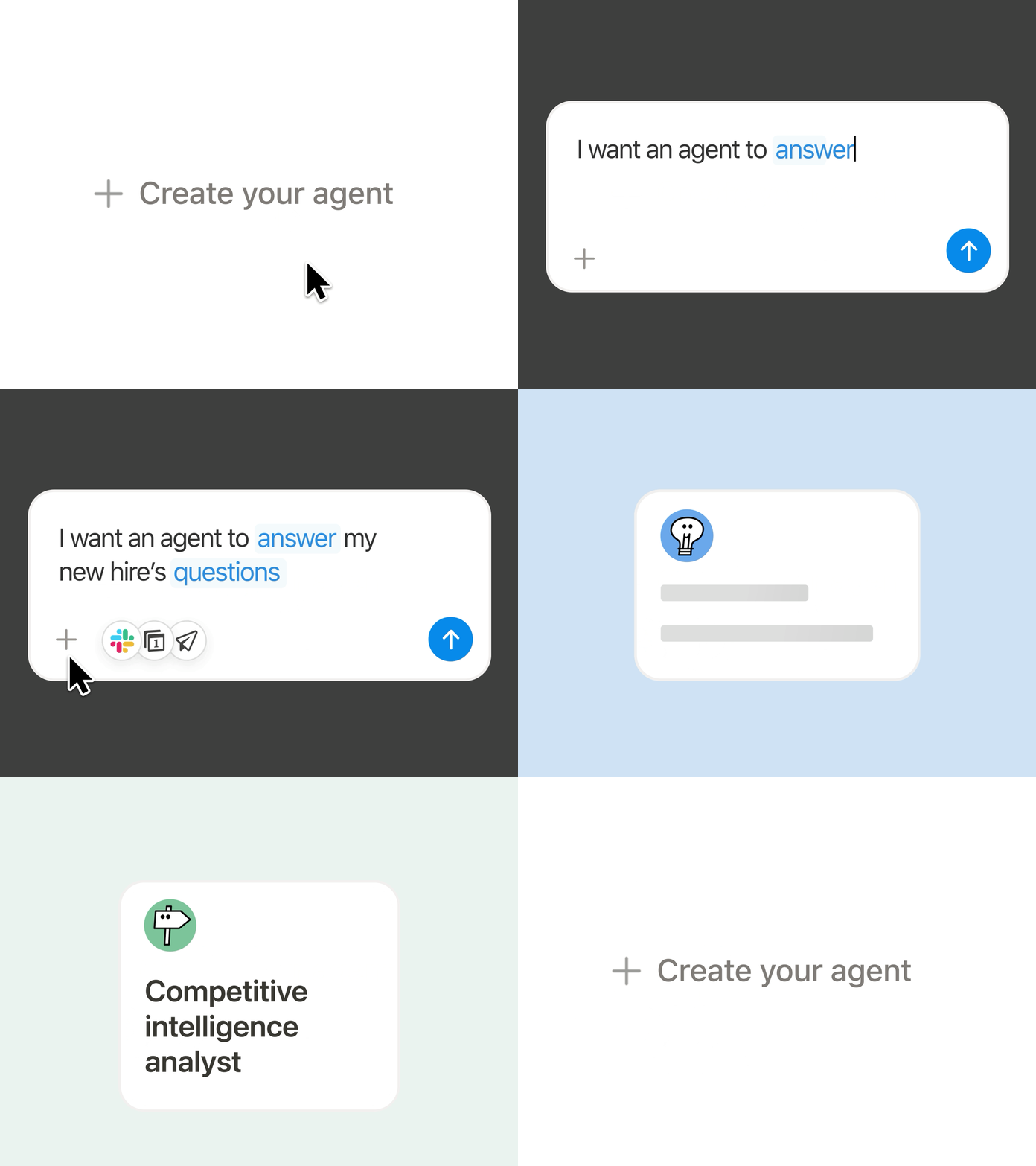
Your Personal Agent works with you, while a Custom Agent works for you. This is a massive shift in capability and right now it comes with a strategic opportunity. Custom Agents are free to explore until May 3, 2026.
Starting May 4, they will run on a usage based pricing model costing $10 per 1,000 Notion Credits. For the nerds watching the bottom line: Admins can already access a real-time Notion credits dashboard to see estimated usage based on current beta runs. This is critical because credits do not roll over month-to-month. If you overbuy, you lose them; if you under-calculate, your agents pause the moment you hit zero.
Because credits are shared across your entire workspace, an inefficient agent checking databases every five minutes could drain your budget fast. You need to be strategic about what you automate.
Before you build an agent, run your task through this simple three-question filter:
Is it a simple, rule-based task? If yes, use a standard Notion Automation.
Is it interactive work where you need to go back and forth with the AI? If yes, use your Personal Agent.
Is it repetitive, tedious, and needs to run while you sleep, build a Custom Agent.
What could you actually use this for?
A Monthly Review Agent that analyzes revenue, marketing, and goals automatically.
A Stalled Leads Agent that drafts follow up emails based on meeting notes.
A Meeting-to-Task Agent that converts AI meeting notes into structured tasks.
A Content Research Agent that gathers insights before you write or record.
2/ BUILDING A WEEKLY BRIEFER
You likely start your Monday mornings scrambling to figure out what your week actually looks like. You check your calendar, hunt down unresolved email threads, and try to remember what tasks you left unfinished on Friday.
The difference between a Custom Agent that technically works and one you actually trust comes down to how you write the instructions. If you give a Custom Agent vague directions, you will get vague, inconsistent output.
But if you treat the agent like a new human hire, providing clear context, specific outcomes, and tight constraints, you can build an assistant that preps your entire week while you sleep.
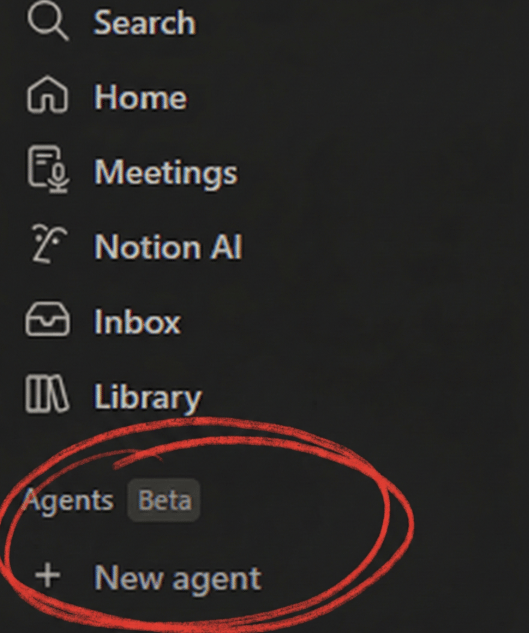
If you haven’t seen it yet, here’s where you can create a new agent inside Notion
You can build your first Weekly Briefer Agent today using this three-part instruction framework:
Define the Purpose: Open the Agents tab, create a new Custom Agent, and state its identity. Type: "You are my Weekly Briefer. Every Monday at 6:00 AM, you will compile a summary of my week ahead."
Set the Context & Access: Tell the agent exactly what data to look at. Mention your specific Tasks database, your calendar, and your inbox. Crucially, you must also go into the "Tools and Access" menu and explicitly grant the agent "View Only" permission for those specific databases and accounts. Mentioning them in the chat is not enough.
Establish Tight Constraints: Add mandatory guardrails to control the output and save on credit costs. For example: "Keep the summary under 600 words. Always use bullet points. Never summarize tasks I have already completed. Only ever email the final report to my specific email address."
What is your first move with Custom Agents?
3/ NOTION API: MARKDOWN SUPPORT
While Custom Agents stole the headlines last week, a smaller update from Notion engineer Kenneth Sinder might be the most important development for power users. As of February 27, the Notion API now officially supports Markdown in /v1/pages.
This sounds technical, but the impact is immediate for anyone using a complex system. Previously, when an AI agent tried to write a page, the formatting was often brittle.
With native Markdown support, your agents can now produce beautifully structured notes (complete with headers, bold text, and lists) that look exactly like a human team member authored them. It means the content your agents generate will finally look professional enough to live inside your high-level project and task templates.
In a recent thread, Kenneth hinted that the team is also discussing expanding Markdown endpoints for public integrations, a massive win for cross-platform workflows. While we are still waiting for full parity between the API and the manual interface, Markdown is the bridge that makes agentic output finally feel "professional" rather than just "functional."
TEMPLATES THAT JUST WORK

Reset. Refocus. Reorganize. Access premium systems that streamline your work and life.
Templates for freelancers, founders, students & beyond.
From Money Tracker to Second Brain, get systems that just work.
Useful Resources
Free 11-Hour Notion Masterclass (Beginner → Advanced):
FreeCodeCamp (known for some of the best tutorials out there) just dropped a full Notion course covering everything from basic blocks and databases to AI agents, automations, formulas 2.0, and business system architecture.
If you want to go from note-taker to building full operating systems inside Notion, this is worth bookmarking.
Notion Just Launched Presentations:
Instead of rebuilding your work in PowerPoint, you can present directly from your Notion page.
Great for:
Weekly team reviews
Roadmap presentations
Sales demos
Training sessions
Still early (no PDF export, limited navigation), but promising.
Advanced Filters = Real Notion Leverage:
Most people use filters to hide or show tasks. Advanced filters let you stack logic (AND / OR), which turns one messy database into multiple useful views like “To Schedule” or “Completed Over 60 Minutes.”
If you’re building dashboards or systems, this is the upgrade.
What did you think about this newsletter? |
Reply